Brian Kuzdas | Enterprise IT Architect | LinkedIn
It starts the same way every time. A team migrates workloads to AWS or Azure. They spin up a new environment, follow their cloud provider’s getting-started guide, and check off the boxes: firewall rules — done, encryption enabled — done, access controls — done. Then they add a CSPM tool — Cloud Security Posture Management — and watch the dashboard light up with hundreds of findings. They triage the critical ones, close a few tickets, and breathe easy. The dashboard is green. Or at least greener than before.
Three months later, they’re in an incident response call at 2 a.m.
This is not a hypothetical. It is the lived experience of security teams at organizations large and small, across every regulated industry. The cloud feels like someone else’s problem — “the provider handles security,” teams reason. But that reasoning is exactly where the risk lives. The gap between what cloud providers secure and what your organization is responsible for is wider than most people realize, and misconfigurations in that gap are the root cause of the vast majority of cloud breaches today.
In this article, I am going to walk through the five most dangerous cloud misconfigurations I see repeatedly in enterprise environments, explain why your CSPM tool may be giving you a false sense of confidence, clarify the shared responsibility model gap that no one talks about in sales calls, and give you a practical one-day posture assessment you can run right now — plus a framework for making posture management sustainable.
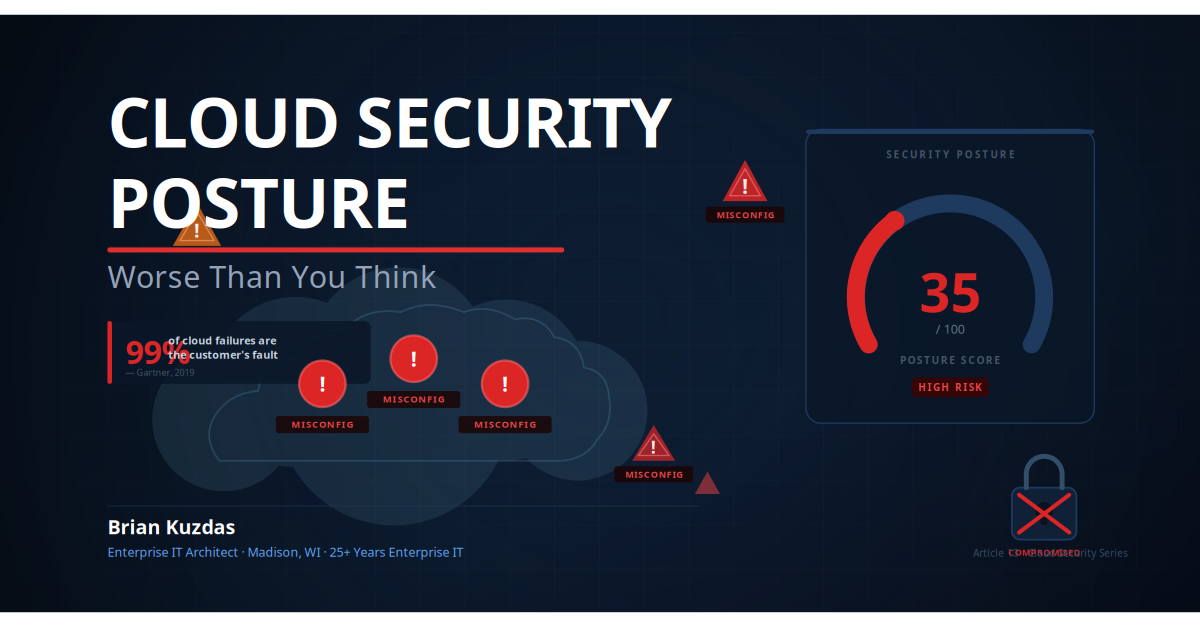
If you are a CISO, a cloud architect, or a platform engineer who thinks your posture is “pretty good,” I want to challenge that assumption with data. Because Gartner said something in 2019 that has not stopped being true: “Through 2025, 99% of cloud security failures will be the customer’s fault.” Let that sink in for a moment.
The Five Most Dangerous Cloud Misconfigurations
Cloud misconfigurations are not exotic, zero-day vulnerabilities that require nation-state resources to exploit. They are ordinary mistakes that are embarrassingly easy to find with a free tool and catastrophically expensive to clean up after. Here are the five that I see most frequently — and that carry the highest real-world impact.
(a) Publicly Accessible Object Storage
In 2019, Capital One experienced one of the largest financial data breaches in U.S. history, exposing the personal information of over 100 million customers. The root cause was not a sophisticated exploit. A misconfigured AWS Web Application Firewall (WAF) allowed an attacker — a former AWS engineer — to perform a server-side request forgery (SSRF) attack and extract credentials from the EC2 instance metadata service. Those credentials had read access to S3 buckets containing sensitive customer data. The S3 buckets themselves were not technically “public,” but the misconfigured role with overly permissive S3 access effectively made the data accessible to anyone who could reach the metadata service.
But publicly accessible S3 buckets are still distressingly common in their own right. The “Block Public Access” setting at the account level was not available until 2018, and older environments frequently pre-date that configuration. Azure Blob Storage containers with anonymous read access are similarly ubiquitous in legacy environments. Any unauthenticated attacker — or automated scanner, and there are thousands scanning the internet continuously — can enumerate and exfiltrate data from a public bucket with nothing more than a web browser.
The fix is straightforward: enable “Block Public Access” at the AWS account level for S3, and disable anonymous access on Azure Storage Account containers. Use AWS Macie or Microsoft Purview to scan for sensitive data in storage before you assume you know what is there. If you have not audited your object storage permissions in the past ninety days, stop reading and do it now.
(b) Overpermissioned IAM Roles and Service Principals
The principle of least privilege is one of the oldest concepts in information security, and one of the most consistently violated in cloud environments. When developers are working fast — and developers are always working fast — they reach for AdministratorAccess managed policies, * resource wildcards, and iam:* permissions because they work immediately and do not require understanding the permission model.
The blast radius of an overpermissioned role is enormous. If an attacker compromises an EC2 instance running with an AdministratorAccess role, they do not just have that instance — they have your entire AWS account. They can create backdoor IAM users, exfiltrate data from every bucket, read secrets from Secrets Manager, launch cryptocurrency mining infrastructure on your bill, and enumerate your entire environment. A single misconfigured role turns a contained compromise into a total account takeover.
In Azure, the equivalent problem is service principals with Contributor or Owner roles scoped at the subscription level. Automation service accounts that need to deploy to one resource group routinely get subscription-level Owner permissions “to keep things simple.” This is the single change that most dramatically reduces your blast radius: scope all IAM roles and service principals to the minimum permissions required and the minimum resource scope needed.
(c) No MFA on Root or Global Admin Accounts
The numbers here are not ambiguous. The Verizon 2023 Data Breach Investigations Report found that over 74% of all breaches involve a human element — including stolen credentials, privilege misuse, or social engineering. The IBM Cost of a Data Breach 2023 report identified stolen or compromised credentials as the most common initial attack vector, responsible for 19% of breaches. And yet, a meaningful percentage of AWS root accounts and Azure global administrator accounts have no MFA configured.
The AWS root account — the email address used to create the AWS account — has unrestricted access to every resource in every service, including the ability to close the account, change billing information, and bypass all SCPs (Service Control Policies). If that account is compromised, you have no recourse within the AWS control plane. The same principle applies to Azure global administrators.
MFA on privileged accounts is not optional in 2024. It is the minimum viable security control. If you are running an enterprise environment and your break-glass root credentials and global admin accounts do not have hardware MFA (FIDO2/WebAuthn) configured, fix this before you go home today.
(d) Overly Permissive Security Groups and Network Security Groups
Security group rules that allow inbound traffic from 0.0.0.0/0 (all IPv4 addresses) or ::/0 (all IPv6 addresses) on port 22 (SSH) or port 3389 (RDP) are endemic in cloud environments. Developers create them to “just test something quickly” and they never get cleaned up. Infrastructure-as-Code templates copy them from Stack Overflow examples. Lift-and-shift migrations replicate on-premises firewall rules that assumed private network connectivity.
Here is the real-world implication: Shodan — the search engine for internet-connected devices — indexes your exposed SSH and RDP endpoints within minutes of them becoming reachable. Automated credential-stuffing bots are probing them within hours. If you have any instances with default or weak credentials (another misconfiguration, but a common co-occurrence), you will have an unauthorized login within days.
The fix is to use AWS Systems Manager Session Manager or Azure Bastion for administrative access, which eliminates the need for any inbound security group rules on administrative ports. If you must use SSH or RDP, restrict it to a specific IP range — your corporate VPN egress IP, at minimum.
(e) Unencrypted Data at Rest and in Transit
This one feels basic, and that is exactly why it slips through. Default encryption settings vary by service, by region, by account age, and by the specific settings in effect when a resource was created. EBS volumes created before 2019 require manual steps to enable encryption. RDS instances spin up without encryption unless it is explicitly specified in the launch configuration. DynamoDB tables use AWS-owned keys by default, which is “encrypted” in the technical sense but does not satisfy most regulatory requirements for key management.
In transit, teams that correctly enforce HTTPS on public-facing load balancers frequently overlook service-to-service communication within a VPC. Internal APIs talking over plain HTTP, database connections without TLS, replication traffic without encryption — these are all vectors for lateral movement and data interception by an attacker who has already gained a foothold in your environment.
For regulated industries — healthcare (HIPAA), financial services (PCI DSS), and life sciences (FDA 21 CFR Part 11) — unencrypted data is a compliance failure in addition to a security failure. AWS Config’s encrypted-volumes rule and Azure Policy’s encryption compliance policies make this auditable automatically.
Why Your CSPM Tool Is Giving You False Confidence
Cloud Security Posture Management tools — Wiz, Prisma Cloud, Orca Security, Microsoft Defender for Cloud, AWS Security Hub — are genuinely valuable. They provide centralized visibility into your cloud environment that would take months to build manually. But they have a fundamental usability problem that creates a dangerous secondary risk: alert fatigue.
A typical enterprise AWS or Azure environment will generate hundreds, sometimes thousands, of CSPM findings when first scanned. I have seen dashboards showing 847 findings across a production environment. The security team triages the “Critical” and “High” severity items — let us say there are 40 of those — and closes what they can. The remaining 807 findings, categorized as Medium or Low, sit in the queue. Two weeks later, there are 950 findings. A month later, there are 1,200. The number becomes noise. The team stops seeing it.
Gartner’s 2019 research note — “Is the Cloud Secure?” — made a statement that has become one of the most frequently cited in cloud security: “Through 2025, 99% of cloud security failures will be the customer’s fault, not the cloud service provider’s.” The mechanisms Gartner identifies are not sophisticated attacks. They are exactly the misconfigurations described above: overpermissioned roles, public storage, missing encryption, inadequate network controls.
The problem is that CSPM tools apply severity scores algorithmically, and those algorithms are imperfect. A finding that scores as “Medium” in the tool’s default configuration might be a critical control in your specific environment — for example, a storage account with anonymous read access to a container that happens to hold non-PII configuration files might score lower than one holding customer data, but the tool does not know which is which without additional context.
Furthermore, CSPM tools typically report point-in-time findings and rely on you to configure the remediation workflow. They do not prevent the next developer from creating a new publicly accessible S3 bucket tomorrow morning. Without policy-as-code guardrails and automated remediation (or at minimum, automated blocking), your CSPM dashboard is a lagging indicator — a report of past failures, not a prevention control.
The practical implication: do not evaluate your security posture by looking at the total finding count or the overall score. Instead, define a list of ten to fifteen critical control categories that represent your actual risk model — based on your data classification, your regulatory obligations, and your threat model — and track only those. Everything else is noise until you have addressed the signal.
The Shared Responsibility Model Gap No One Talks About
Every cloud provider publishes a shared responsibility model. AWS has a well-documented diagram. Microsoft Azure has its own version. Google Cloud does too. Every enterprise architect has seen it. Most do not fully internalize what it means.
Here is the plain-language version: your cloud provider is responsible for the security of the cloud. You are responsible for the security in the cloud. The distinction is critical.
What AWS, Azure, and GCP are responsible for:
- Physical data center security (facilities, power, cooling, access control)
- Hardware security (servers, network equipment, storage infrastructure)
- Hypervisor and virtualization layer security
- Global network backbone security
- Availability zones and region fault tolerance
- Managed service availability (S3, Lambda, Azure Functions, etc.)
- Patching the underlying infrastructure
What YOU — the customer — are responsible for:
- Identity and Access Management (IAM roles, service principals, MFA)
- Data classification and data protection (encryption at rest and in transit)
- Network controls (security groups, NSGs, VPC design, firewall rules)
- Guest OS patching on EC2/Azure VM instances
- Application security (code vulnerabilities, injection flaws, authentication)
- Configuration of cloud services (S3 bucket policies, storage account access)
- Compliance validation and audit logging
- Incident response planning and execution
The Capital One breach is the textbook example of this gap. AWS’s infrastructure performed exactly as designed. The breach occurred entirely within Capital One’s zone of responsibility — an overpermissioned EC2 IAM role and a misconfigured WAF. AWS was not at fault. AWS could not have prevented it. The responsibility for those controls sat entirely with Capital One’s engineering and security teams.
Most organizations — when pressed — would say they understand this model. But behavior reveals a different reality. Security teams that scrutinize every on-premises firewall rule change submit cloud IAM policy changes to automated pipelines without security review. Organizations that require multi-party authorization for production database changes allow developers to modify S3 bucket policies through the console with no approval workflow. The cloud’s speed and accessibility breaks down the manual gates that on-premises environments relied on.
The shared responsibility model is not a liability shield for cloud providers. It is a framework for understanding where your security investment needs to go. And for most organizations, the answer is: significantly more investment in IAM governance, data protection, and network security than they are currently making.
How to Do a Real Posture Assessment in One Day
This is not a theoretical framework. These are the exact steps I walk through when doing a rapid posture assessment for a new client or a new cloud environment. You can complete this in six to eight hours with the right access.
Step 1: Enumerate IAM Permissions (1-2 hours)
Start with identity. Everything else flows from here.
AWS:
# Generate a credential report — shows all IAM users, MFA status, last key usage
aws iam generate-credential-report
aws iam get-credential-report --output text --query Content | base64 -d > credential-report.csv

# List all IAM roles and their attached policies
aws iam list-roles --query 'Roles[*].[RoleName,Arn]' --output table

# Find roles with AdministratorAccess
aws iam list-roles --query 'Roles[?contains(AssumeRolePolicyDocument.Statement[].Principal.Service, `ec2.amazonaws.com`)]' --output table

# Run IAM Access Analyzer to find external access
aws accessanalyzer list-findings --analyzer-arn <your-analyzer-arn> --filter '{"status":{"eq":["ACTIVE"]}}'
Azure:
# List all role assignments at subscription scope
az role assignment list --all --output table

# Find service principals with Owner role
az role assignment list --role Owner --all --output table

# Run Azure AD Access Review (requires Azure AD P2 license)
az ad sp list --all --query '[*].[displayName,appId,createdDateTime]' --output table
Look for: service accounts not used in 90+ days, roles with AdministratorAccess or Owner/Contributor at broad scope, users without MFA enabled (visible in the credential report).
Step 2: Check for Public Exposure (1-2 hours)
AWS:
# Check S3 bucket public access settings
aws s3api list-buckets --query 'Buckets[*].Name' --output text | \
  xargs -I{} aws s3api get-bucket-policy-status --bucket {} 2>/dev/null

# Run Trusted Advisor check for S3 bucket permissions
aws support describe-trusted-advisor-check-result \
  --check-id Pfx0RwqBli --language en

# List security groups with 0.0.0.0/0 inbound on port 22
aws ec2 describe-security-groups \
  --filters "Name=ip-permission.from-port,Values=22" \
            "Name=ip-permission.cidr,Values=0.0.0.0/0" \
  --query 'SecurityGroups[*].[GroupId,GroupName,VpcId]' \
  --output table
Azure:
# Check for storage accounts with public blob access
az storage account list --query '[*].[name,allowBlobPublicAccess]' --output table

# Microsoft Defender for Cloud recommendations
az security assessment list --query '[?status.code==`Unhealthy`].[displayName,status.code]' \
  --output table
Step 3: Review Security Group and NSG Rules (30-60 minutes)
# AWS — find all security groups allowing unrestricted inbound access
aws ec2 describe-security-groups \
  --query 'SecurityGroups[?IpPermissions[?IpRanges[?CidrIp==`0.0.0.0/0`]]].[GroupId,GroupName,VpcId]' \
  --output table

# Azure — find NSGs with any-source inbound allow rules
az network nsg list --query \
  '[*].securityRules[?access==`Allow` && direction==`Inbound` && sourceAddressPrefix==`*`].[name,destinationPortRange]' \
  --output table
Step 4: Check Encryption Status (30-60 minutes)
# AWS — check EBS volume encryption
aws ec2 describe-volumes \
  --query 'Volumes[?Encrypted==`false`].[VolumeId,State,Size]' \
  --output table

# Check RDS instances for encryption
aws rds describe-db-instances \
  --query 'DBInstances[?StorageEncrypted==`false`].[DBInstanceIdentifier,DBInstanceClass]' \
  --output table

# Check S3 default encryption
aws s3api list-buckets --query 'Buckets[*].Name' --output text | \
  xargs -I{} sh -c 'echo -n "{}: "; aws s3api get-bucket-encryption --bucket {} 2>&1 | grep -c ServerSideEncryptionConfiguration || echo "NOT ENCRYPTED"'
Step 5: Verify MFA on All Privileged Accounts (15-30 minutes)
# AWS — credential report shows MFA status for all IAM users
aws iam get-credential-report --output text --query Content | base64 -d | \
  awk -F',' 'NR>1 && $8=="false" {print $1, "NO MFA"}'

# Check root account MFA
aws iam get-account-summary --query 'SummaryMap.AccountMFAEnabled'
# Should return 1 (enabled). 0 means root account has NO MFA.
Document everything you find. Prioritize findings by: (1) public data exposure, (2) privileged access without MFA, (3) overpermissioned roles, (4) unencrypted sensitive data, (5) excessive network exposure.
Building a Sustainable Posture Management Practice
A one-day assessment is a snapshot. Posture management is a continuous practice. Here is how to build one that does not burn out your team.
Policy as Code
Stop relying on manual reviews and CSPM dashboard monitoring as your primary control. Encode your security baseline as policy, and enforce it automatically.
- AWS: Use AWS Config Rules to continuously evaluate resource configurations. Use AWS Service Control Policies (SCPs) to preventively block actions that violate your baseline (e.g., deny creation of unencrypted EBS volumes at the organization level).
- Azure: Azure Policy allows you to define compliance requirements and either audit non-compliant resources or deny their creation. Assign policies at the Management Group level for organization-wide enforcement.
- OPA/Rego: For multi-cloud or more complex policy logic, Open Policy Agent with Rego policies provides a declarative, version-controlled policy framework that integrates with Kubernetes, Terraform, and CI/CD pipelines.
Shift Security Left: CI/CD Integration
Cloud misconfigurations should be caught before they reach production — during code review and automated pipeline execution, not after deployment.
- checkov: Open-source static analysis for Terraform, CloudFormation, ARM templates, and Kubernetes manifests. Catches misconfigurations at the code level before deployment.
- tfsec: Terraform-specific security scanner with provider-specific checks for AWS, Azure, and GCP.
- cfn-guard: AWS-native tool for validating CloudFormation templates against policy rules.
- terrascan: Multi-cloud IaC scanner that maps findings to compliance frameworks (CIS, PCI DSS, HIPAA).
Integrate these tools into your pull request pipeline so that a PR introducing a public S3 bucket or an overpermissioned IAM role fails the build before it is merged. This is the most leverage you can apply to posture management — fix it before it ships.
The 80/20 Rule for Posture Improvement
In most environments I have assessed, 20% of the CSPM findings represent 80% of the actual exploitable risk. The high-volume, lower-severity findings — logging not enabled on every service, tags missing, minor configuration drift from CIS Benchmark recommendations — are real issues, but they are not what will get you breached next week.
Focus your first ninety days on:
- Zero publicly exposed storage buckets or databases
- MFA on all privileged accounts (100% coverage, no exceptions)
- No security group rules allowing unrestricted access to administrative ports
- All IAM roles scoped to least-privilege
- Encryption at rest enabled for all data stores containing sensitive or regulated data
Once those five are under control and enforced via policy-as-code, then begin working through the longer tail of CIS Benchmark compliance.
Drift Detection and Baselining
Your posture will drift. Developer velocity, urgent hotfixes, new service adoption, and infrastructure automation all introduce configuration changes. Set up drift detection:
- AWS Config: Enable the “Configuration Recorder” and set up Config Rules with SNS notifications for critical control violations. You want real-time alerts for critical issues (public S3 bucket created, root account login, IAM policy with
*resources), and weekly digest reports for medium/low findings. - Azure: Azure Policy compliance reports on a regular cadence. Set up Activity Log alerts for high-sensitivity operations (role assignment changes, storage account public access enabled).
Document your security baseline — the specific configuration settings that represent your acceptable state — and track your compliance score against it over time. A 30-day trend showing improvement is more meaningful than a point-in-time score.
Bottom Line
Cloud security is not someone else’s problem. It never was. Your cloud provider’s job is to keep the lights on and the infrastructure running. Your job is everything inside your account.
Five things to take away from this article:
- Misconfiguration, not exploitation, is the primary cloud threat vector. Gartner’s 99% figure is not hyperbole — it reflects the actual distribution of cloud breach root causes.
- CSPM tools create alert fatigue that masks critical findings. Define your critical control set explicitly and track it separately from the full finding list.
- The shared responsibility model places IAM, data protection, and network controls squarely on your team. No cloud provider will fix your overpermissioned roles or your public S3 buckets for you.
- A one-day assessment can surface your highest-risk exposures. You do not need a consultant or a six-week engagement — you need the right CLI commands and the willingness to look at what you find.
- Sustainable posture management requires policy as code and CI/CD integration. Manual reviews and dashboard monitoring are lagging indicators. Prevention controls that run before deployment are the goal.
Go back to the team from my opening scenario — the one that deployed to cloud, added a CSPM tool, and breathed easy. They were not wrong to use CSPM. They were wrong to mistake a reporting tool for a prevention control, and to mistake a green dashboard for actual security. The gap between “monitored” and “secure” is where most cloud breaches live.
Close that gap. Not because a compliance auditor will ask about it — though they will — but because the data you are responsible for protecting belongs to real people who are counting on you to get this right.
Citations and References
- Gartner. “Is the Cloud Secure?” (2019). Smit, J. & MacDonald, N. “Through 2025, 99% of Cloud Security Failures Will Be the Customer’s Fault.” Gartner Research.
- U.S. Department of Justice. United States v. Paige Thompson (Capital One Data Breach, 2019). Case No. 2:19-cr-00159-RSL. Available via PACER.
- Amazon Web Services. AWS Well-Architected Framework — Security Pillar. https://docs.aws.amazon.com/wellarchitected/latest/security-pillar/welcome.html
- Center for Internet Security. CIS Amazon Web Services Foundations Benchmark and CIS Microsoft Azure Foundations Benchmark. https://www.cisecurity.org/benchmark/amazon_web_services
- Wiz Research. 2023 State of Cloud Security Report. https://www.wiz.io/reports/cloud-security-report-2023
- CISA. Cloud Security Technical Reference Architecture v2.0. https://www.cisa.gov/resources-tools/resources/cloud-security-technical-reference-architecture
- Verizon. 2023 Data Breach Investigations Report. https://www.verizon.com/business/resources/reports/dbir/
- IBM Security. Cost of a Data Breach Report 2023. https://www.ibm.com/reports/data-breach
#CloudSecurity #CSPM #AWSSecurity #AzureSecurity #ZeroTrust #InfoSec #CloudMisconfiguration #EnterpriseIT #CyberSecurity #SharedResponsibility