By Brian Kuzdas | Enterprise IT Architect | Madison, WI
Every year, in budget conversations across the country, someone in the room looks at the line item for a mature IT service management platform — ServiceNow, Jira Service Management, Freshservice, Zendesk — and says the same thing: “That’s a lot of money for a help desk tool.”
It is a lot of money. Enterprise ITSM licensing isn’t cheap. A mid-market ServiceNow deployment can run $150,000 to $500,000 annually once you factor in licensing, modules, implementation, and ongoing administration. Even lighter-weight platforms like Jira Service Management or Freshservice carry significant costs at scale.
And yet, in 25 years of building and running enterprise IT infrastructure — including environments governed by FDA 21 CFR Part 11, HIPAA, SOC 2, and ISO 27001 — I can tell you with confidence: the organizations that resisted investing in a proper ticketing system paid for that decision repeatedly, and far more expensively, than they ever would have paid for the tool itself.
This is not a pitch for any particular vendor. It is a serious, numbers-grounded argument for why a well-implemented IT service management platform is one of the highest-ROI investments an IT organization can make — and why the “it’s too expensive” objection almost always comes from organizations that have never actually calculated the cost of not having one.
The Real Cost of “We Use Email for That”
Before we talk about what a good ticketing system saves, let’s be precise about what the absence of one costs.
I have walked into organizations — some of them with 500+ users, multi-site operations, and significant regulatory exposure — that were managing their IT service delivery entirely through a shared inbox, a spreadsheet, and institutional memory. The IT staff knew which server had that weird NIC issue. The sysadmin remembered what that one application needed to restart every Tuesday morning. The help desk “tickets” were email threads with subject lines like “RE: RE: RE: RE: Printer still broken.”
Here is what that chaos actually costs, line by line:
1. Invisible Labor Duplication
When work isn’t tracked, it gets done twice. A user submits a request via email. A technician sees it, starts working on it, then gets pulled to something else. Another technician sees the same email and starts over. The user follows up with a second email. Now three people have touched the same task and none of them have a complete picture.
A Forrester Research study found that IT teams without structured ticketing systems spend 27–35% of their time on work that is redundant or duplicative — tasks that have either been started by someone else or are repeat requests that should have been resolved the first time with documented solutions.
At a fully-loaded IT labor cost of $85–$120 per hour, 27–35% waste across a 5-person IT team is $185,000–$290,000 in annual labor burned on nothing.
2. The Knowledge Drain
Here is the scenario every IT leader dreads: your most experienced systems administrator gives two weeks’ notice. She spent six years resolving the same 40 recurring issues that account for 70% of your ticket volume. She knows the workarounds. She knows the quirks of every system. She kept it all in her head.
And now it walks out the door with her.
A mature ticketing system with enforced resolution notes, knowledge base integration, and problem management creates institutional memory that survives attrition. ServiceNow’s Knowledge Management module, Jira’s Confluence integration, and Freshservice’s Solution Articles all exist to solve exactly this problem. Organizations that use them properly reduce the time-to-resolution on repeat incidents by 40–60% by simply making previous resolution steps searchable and reusable.
The average cost of replacing a mid-level IT engineer is 1.5–2x their annual salary when you account for recruiting, onboarding, and the 6–12 months before they reach full productivity. Reducing institutional knowledge loss is not a soft benefit — it is a hard cost avoidance with real dollar figures.
3. SLA Violations You Didn’t Know Were Happening
Without a ticketing system, you cannot measure what you cannot see. Requests fall through email cracks. Issues sit for two weeks because the technician who received the email went on vacation and nobody had visibility. Executives complain that IT “never responds,” but IT has no data to push back with because there is no data.
In regulated industries, this is not just an operational embarrassment — it is an audit finding. FDA-regulated environments require documented evidence that change requests were properly reviewed, approved, and tracked. HIPAA requires audit trails for access requests touching protected health information. SOC 2 auditors will ask for ticketing data to demonstrate that your change management and incident response processes actually work.
Organizations caught without proper ticketing during an FDA audit have faced warning letters. Organizations caught during a SOC 2 audit have lost certification. The financial exposure from a single regulatory finding can dwarf five years of ITSM licensing costs.
What a Mature Ticketing System Actually Delivers
Let me be specific about the ROI mechanisms — not abstract “efficiency gains,” but concrete, measurable outcomes.
Incident Management: Reducing Mean Time to Resolution
A well-configured ticketing platform with proper categorization, automated routing, and SLA alerting consistently reduces MTTR (Mean Time to Resolution) by 30–50% in organizations that transition from unstructured processes.
At $5,000–$15,000 per hour of downtime for a mid-market company (a conservative figure from Gartner’s 2023 research), a 30% MTTR reduction on a modest 20 incident days per year translates to $300,000–$900,000 in recovered business value annually.
Problem Management: Fixing Root Causes Instead of Firefighting
The distinction between incident management (restoring service) and problem management (eliminating recurring causes) is one of the most valuable and most underused capabilities in a mature ITSM platform.
Organizations without structured problem management spend their IT budget on the same incidents, over and over. The server crashes every three weeks. The VPN fails on Monday mornings. The ERP database hits capacity every quarter. Each incident gets resolved in isolation — restored, patched, restarted — and the underlying cause is never investigated because there is no process to tie recurring incidents to a root cause investigation.
ServiceNow’s Problem Management module and Jira Service Management’s Problem Tracking formally link related incidents, surface recurring patterns, and create accountable problem records with root cause analysis requirements. Organizations that implement proper problem management typically see a 20–40% reduction in total incident volume within 12–18 months as recurring problems are eliminated rather than repeatedly patched.
Change Management: Compliance and Coordination
In any environment with more than a handful of IT staff, uncontrolled changes are among the most common causes of unplanned downtime. A developer pushes a configuration change at 4 PM Friday. The database team makes a schema update Monday morning. Nobody coordinated. The application breaks at 8 AM Tuesday and it takes four hours to identify the change that caused it.
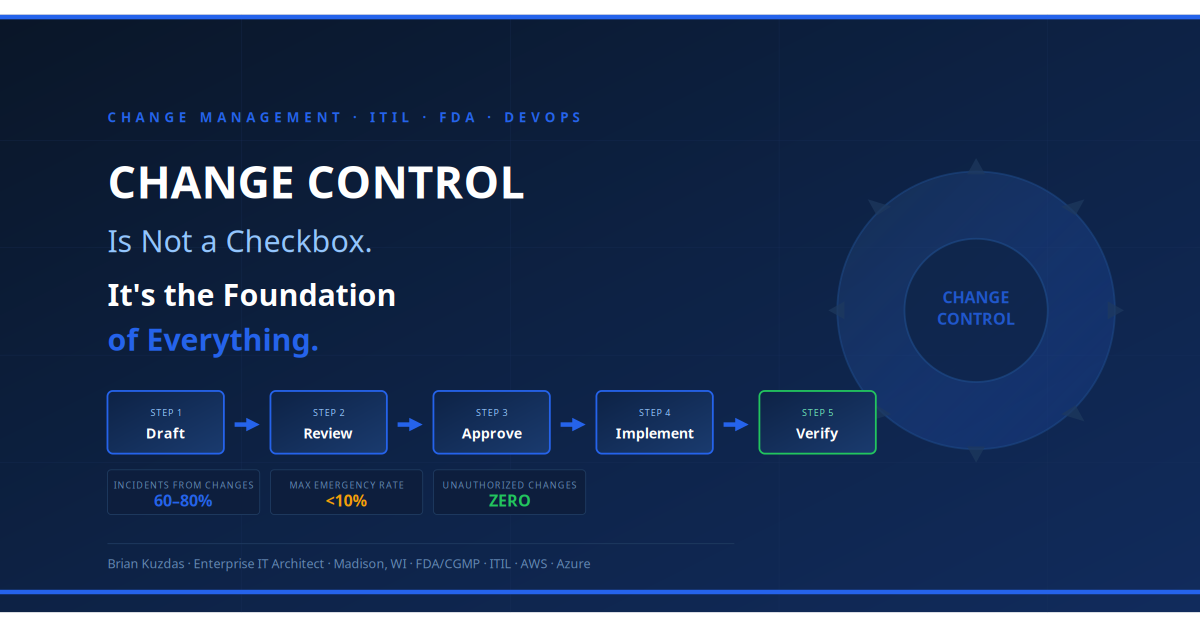
A ticketing system with integrated change management creates a structured workflow: change request → assessment → approval → scheduling → implementation → post-implementation review. Every change is documented, approved, and linked to a change window. Every service outage can be cross-referenced against recent changes in minutes rather than hours.
For FDA-regulated environments, this is not optional. 21 CFR Part 11 and GAMP 5 both require documented change control for validated systems. A ticketing platform that enforces change workflows isn’t just operationally valuable — it is a compliance requirement that, if unmet, can result in observations and warning letters.
Asset and License Management: The Hidden Cost Center
Enterprise ITSM platforms — particularly ServiceNow’s IT Asset Management (ITAM) module — provide visibility into hardware and software assets that most organizations dramatically underestimate the value of.
The average organization overpays for software licenses by 20–30% because they’re purchasing renewal quantities based on guesswork rather than actual utilization data. A 500-seat Microsoft 365 deployment where 80 users haven’t logged in for 90 days represents $8,000–$12,000 in annual license waste — identifiable in 30 minutes with proper asset management.
Hardware refresh cycles managed without asset tracking inevitably result in missed warranties, unsupported systems, and emergency hardware purchases at retail prices. With documented lifecycle tracking, replacements are planned, budgeted, and purchased on contract pricing.
The Platform Landscape: Matching Scale to Need
Not every organization needs ServiceNow. Let me give you a realistic view of the landscape.
ServiceNow — The enterprise gold standard. Purpose-built for complex, multi-department ITSM with deep integration capabilities, powerful workflow automation, and broad compliance module support. Appropriate for organizations with 1,000+ employees, complex regulatory requirements, or multi-site operations. Price reflects that positioning.
Jira Service Management (Atlassian) — Excellent for technology-forward organizations already in the Atlassian ecosystem. Strong developer-IT integration. Scales well from mid-market to enterprise. The Confluence knowledge base integration is particularly strong.
Freshservice — Strong value proposition for mid-market organizations (200–2,000 employees). Modern interface, rapid deployment, competitive pricing. Solid ITIL alignment with asset management included at reasonable tiers.
Zendesk for IT — Strong ticket management and customer-facing portal. Better suited for IT service desks with high end-user volume than for complex back-end ITSM workflows.
ManageEngine ServiceDesk Plus — Competitive in the SMB and regulated mid-market space. Strong Active Directory integration and asset management. Good value for organizations that need ITIL compliance without enterprise-tier investment.
The CFO Conversation
When you walk into a budget conversation about ITSM investment, come prepared with math, not arguments.
Calculate your current IT team’s fully loaded hourly cost. Estimate the percentage of time spent on undocumented, untracked, or duplicated work (conservative estimate: 20–25% if you have no ticketing system). Multiply by your annual IT labor spend. That is your current waste baseline.
Calculate the cost of your last three significant unplanned outages — actual business impact, not just IT labor. Estimate what a 30% MTTR reduction would have saved.
Price your current software licenses. If you don’t know your actual utilization, assume 20% waste. Calculate the annual dollar figure.
Add those numbers up. Compare to the ITSM licensing and implementation cost. In nearly every mid-market organization I have worked with, the ROI case closes within 18 months. Often within 12.
The ticketing system isn’t the expense. The absence of one is.
Final Thought
I have spent 25 years watching organizations run IT through heroics — brilliant people carrying tribal knowledge, solving the same problems repeatedly, keeping everything running through sheer force of will. Those organizations work, until they don’t. Until the hero leaves. Until the auditor arrives. Until the outage lasts six hours instead of two.
A mature ticketing system is the difference between an IT organization that reacts and one that operates. Between one that solves symptoms and one that eliminates root causes. Between one that survives audits nervously and one that welcomes them with documentation.
It is expensive. It is worth every dollar.